Google Drive Import — Browser Troubleshooting Guide
GriidAi | Version 1 — Brave Browser Section
This guide documents the browser-specific setup for importing files from Google Drive into GriidAi. Additional browser sections will be added in future updates.
Important: The settings below apply only to
app.griidai.com. Do not change Brave’s global Shields settings.
Issue Overview
In Brave, the browser’s Shields protection can interfere with the Google OAuth authentication flow or the Google Drive Picker popup used by GriidAi.
Common Symptoms:
- The Google Drive popup does not open.
- The file picker fails to load.
- The import status remains stuck on "Waiting".
1. Brave Browser Setup
To resolve this issue, disable Shields for the GriidAi website only.
Step-by-Step Instructions:
-
Open the Application
- Navigate to
app.griidai.comin Brave.
- Navigate to
-
Access Shields
- Click the Brave Shields icon (lion logo) located in the browser toolbar at the top right.
-
Disable Shields for GriidAi
- Confirm that the panel displays
app.griidai.com. - Click the toggle switch next to Shields up for this site.
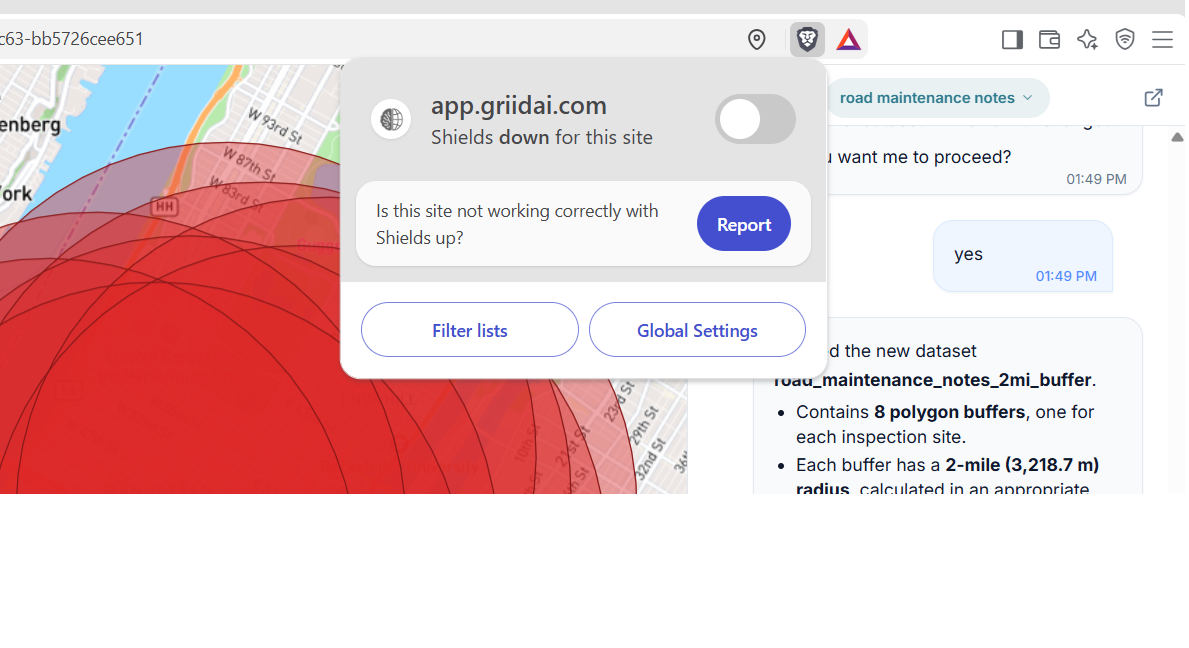 Figure 1 — Shields are enabled for app.griidai.com.
 - Confirm that the panel displays
-
Confirm the Setting
- Verify that the toggle is off and the panel now shows Shields down for this site.
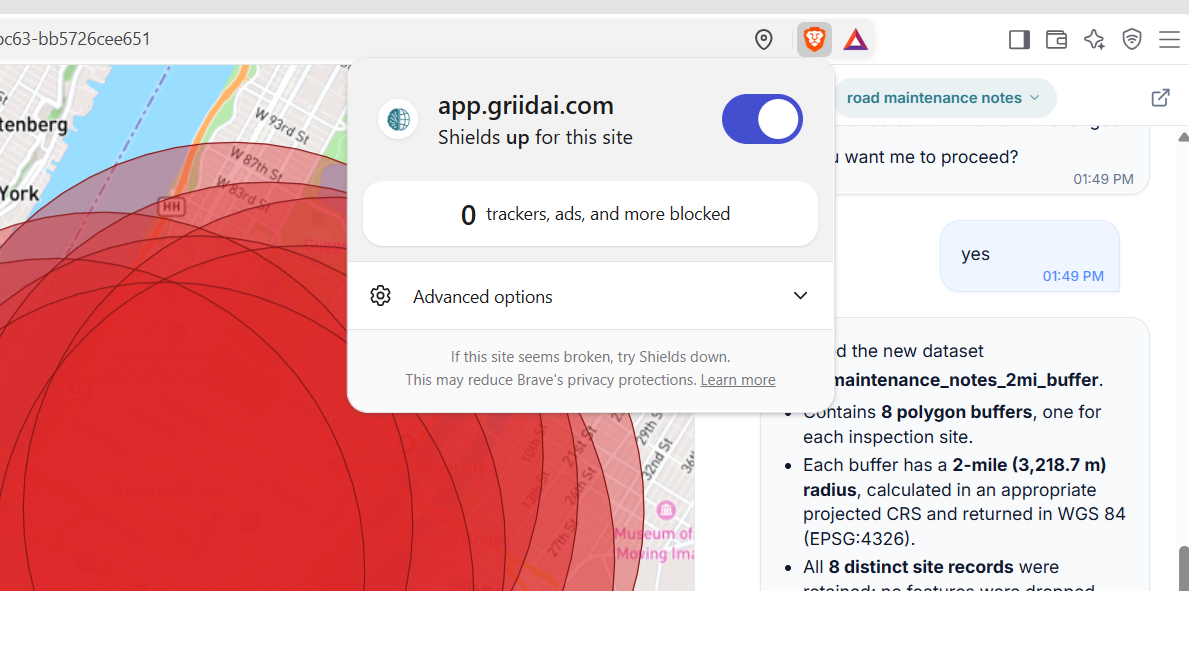 Figure 2 — Shields are disabled for app.griidai.com.
 -
Retry Import
- Close the Shields panel.
- Retry the Google Drive import.
Expected Result
The Google sign-in popup and Google Drive file picker should open normally, allowing you to select and import your files.
Note: You can re-enable Shields for the site later if required by your browser or organizational security policy.